Published: October 10, 2026 | By Vito Ruocco
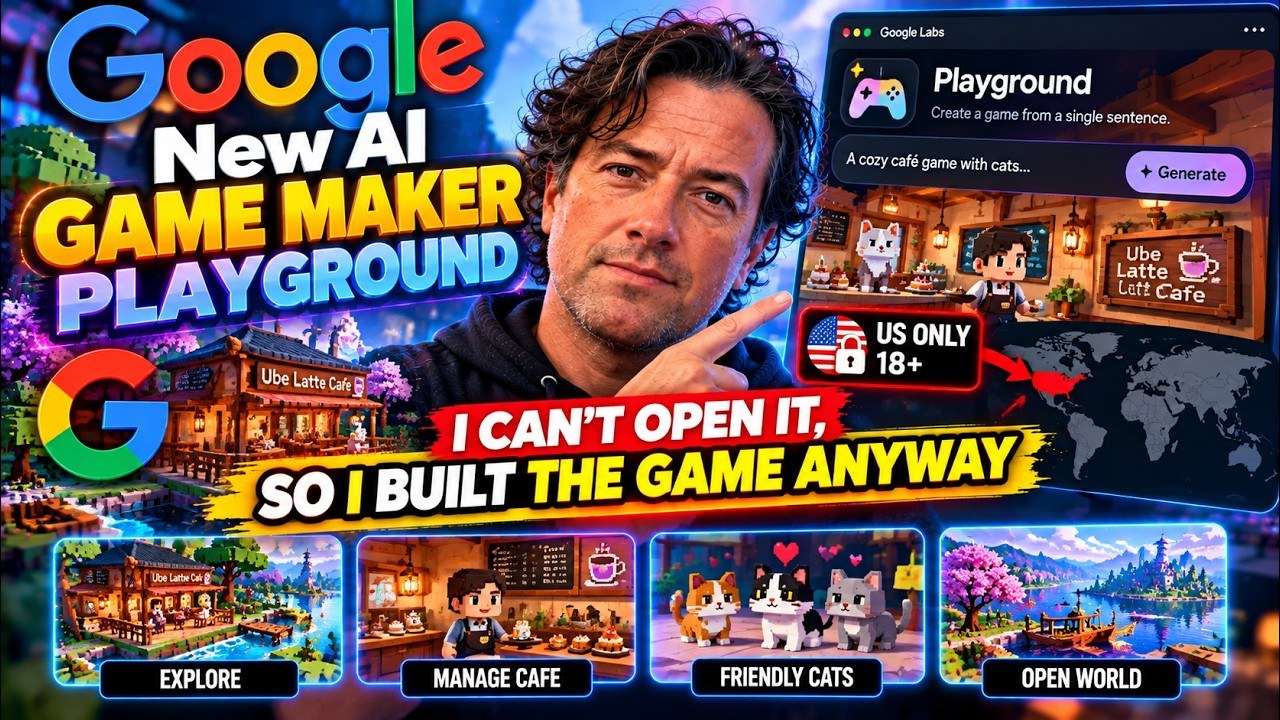
**Google has just launched Playground, an experimental tool that builds a browser game from a single sentence. It only opens in the United States for people over 18, so I could not use it from Italy. This article is everything that is public about it, what the people who got in are really saying, and a playable game I built in three chat messages from the exact prompt Google used in its own launch video.**
The Short Version
- **What it is:** Playground is a Google Labs experiment, launched on October 7, 2026, where you describe a game in a chat, play it a few minutes later in the browser, keep changing it by asking, and then keep it private, share a link or publish it to a public gallery.
- **What runs it:** Google says it is built on its own foundation models, Gemini, Nano Banana and Lyria, paired with a custom harness.
- **The catch:** US only, 18 and over, a Google account, and creation is tiered. Free accounts get a limited number of tokens that refresh every week plus a waitlist, and a Google One AI plan gets in right away with higher limits.
- **What testers say:** mixed. Some love one or two games, others call the demos “average Flash games with a different coat of paint”, report choppy frame rates, and find that complex mechanics are hard to get.
- **What is next:** Unity Spark, a more advanced editor with real Unity assets, is heading to a closed beta later this year and will plug into Playground.
- **What I did:** Playground itself was not used, because it is region-locked. I took Google’s launch prompt, a cozy ube latte game in a busy retro cafe, and had Gemini 3.8 Flash build it as a chat of three messages. It took under four minutes and cost 18 cents. All three versions are playable on ruocco.it.
What Playground Actually Is
Playground lives at playground.google and is labelled “experiment”. The official line is “If you can think it, you can play it”, and the pitch is that bringing a game idea to life can be as easy as describing it. You do not write code. You do not open an engine. You do not download anything. You open a chat, you say what kind of game you want, and the platform builds it and runs it in your browser, on a laptop or on a phone.
Google’s own page is organised around three verbs: create, play and share. Creating means describing the game in plain text, and you can start from a blank canvas, from a starter prompt that you remix, or with a guided mode that helps you shape the idea before anything is generated. Playing means that the games run in the browser, and that there is an ever-growing catalogue of community games to try. Sharing means that you can keep a game private, send it to friends with a link, or publish it so that the whole community can find it.
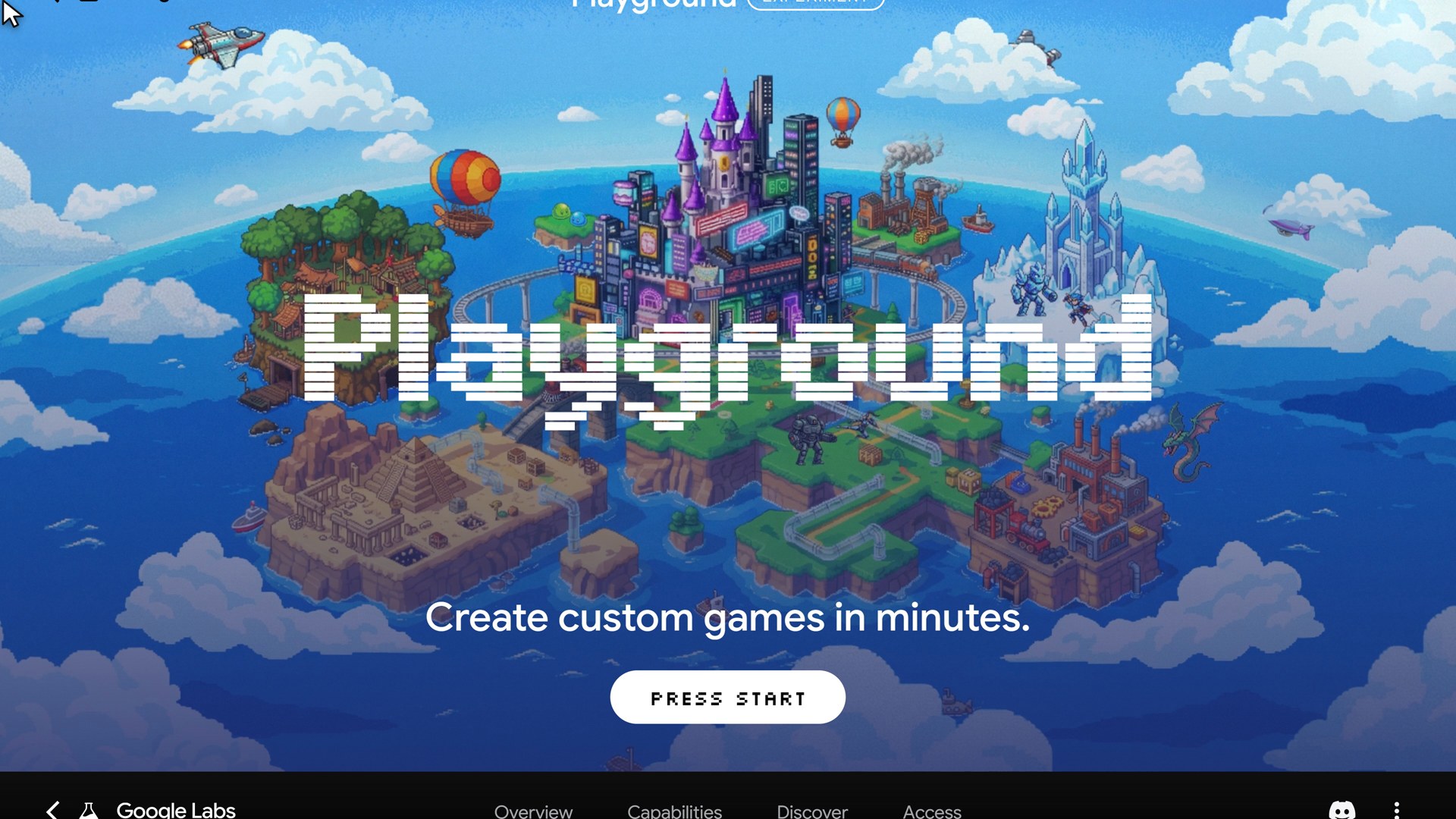
When you create a game you choose between a two-dimensional and a three-dimensional game, and between single player and multiplayer. After that you type. And this is the part that matters most: the conversation does not stop when the first version appears. You keep talking to it. You can change the physics, rewrite the rules, swap the character, redraw the world. Google’s own wording for it is “just ask”, and you stay in control of the creative direction from the rough concept to the finished game.
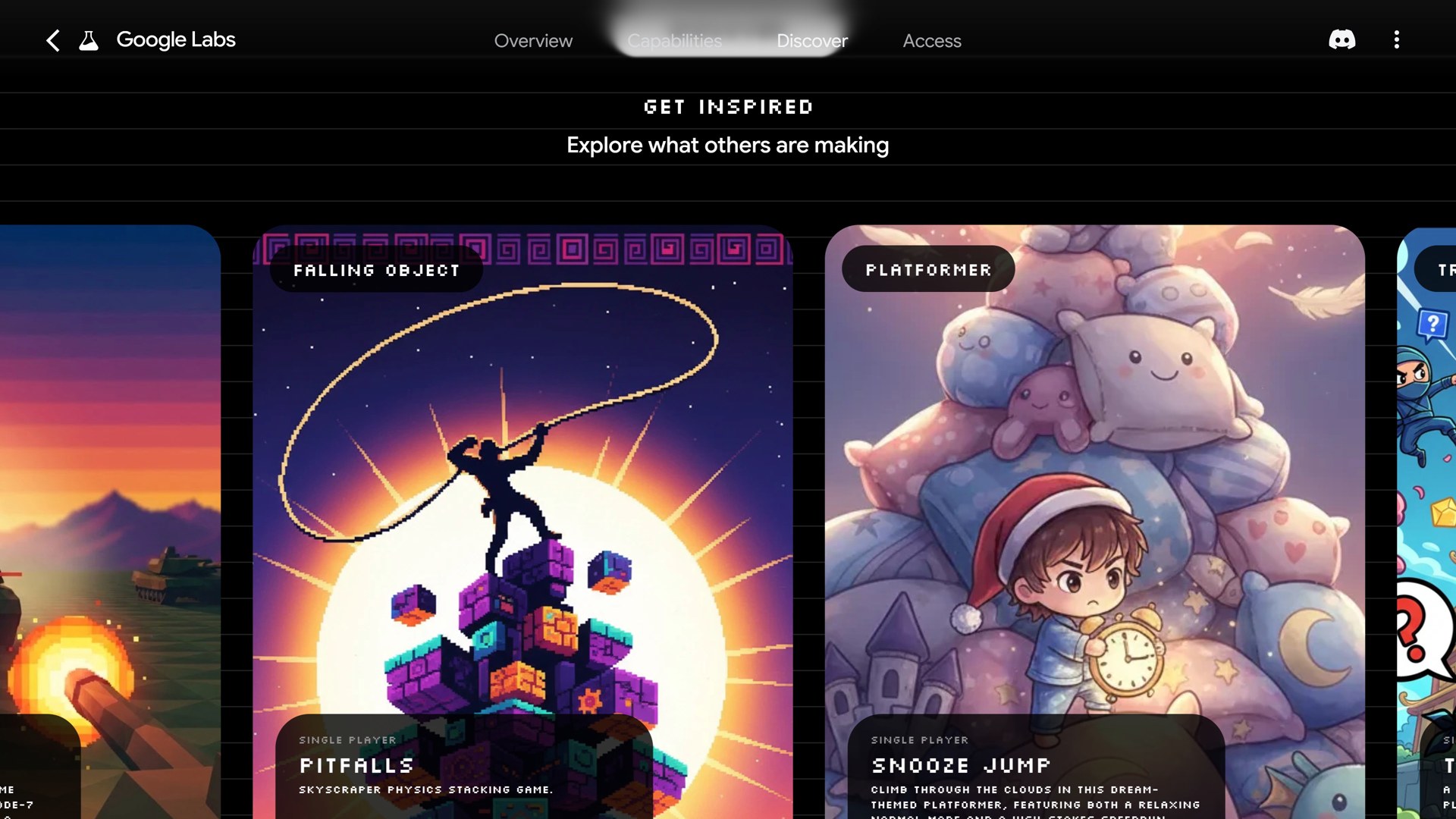
On the landing page there is a “Get inspired” strip of community games, and it gives a good idea of the range. When I looked there was a platformer called Snooze Jump, a trivia game called Truth Ninja, an arcade shooter called Polygon Pazer, a falling-object game called Pitfalls and another arcade shooter called Octo Pop. Elsewhere in the coverage the most popular game was a driving game called Coastal Cruiser, where you steer a car along a coastal highway, dodging hazards and collecting coins.
Which AI Is Inside
A Google spokesperson told press that Playground is powered by Google’s existing foundation models, Gemini, Nano Banana and Lyria, paired with a custom harness refined through its own internally built games and evaluations. In plain words: Gemini writes the game and holds the conversation, Nano Banana makes the images, and Lyria makes the music and the sound. The harness is the part Google does not describe. It is presumably where the game-specific work happens, such as how to structure a game, how to keep it small enough to run in a browser, and how to turn a request like “make the cup bigger” into a change that does not break the rest, but that is my guess, not something Google has said.
Google does not say which Gemini version is used, and its help center does not say either. That matters later, because it is the reason the experiment at the end of this article uses Gemini through its API: it is the same family of model, even if it is not the same harness.
The Help Center Tells You How It Really Works
The marketing page tells you the idea. The help center tells you the rules, and it is the most useful document Google has published so far. These are the points that I think matter.
Tokens, tiers and credits
The free tier includes “a limited number of tokens refreshed weekly”. Google has not published how many tokens each tier gets. Higher weekly limits require a Google One AI plan. Creation access is rolling out in phases: free users can join a waitlist and are admitted in batches, while people with a Google One AI plan get in immediately. Playing games is free for everyone who is eligible, and the creation limits are what scale with your membership.
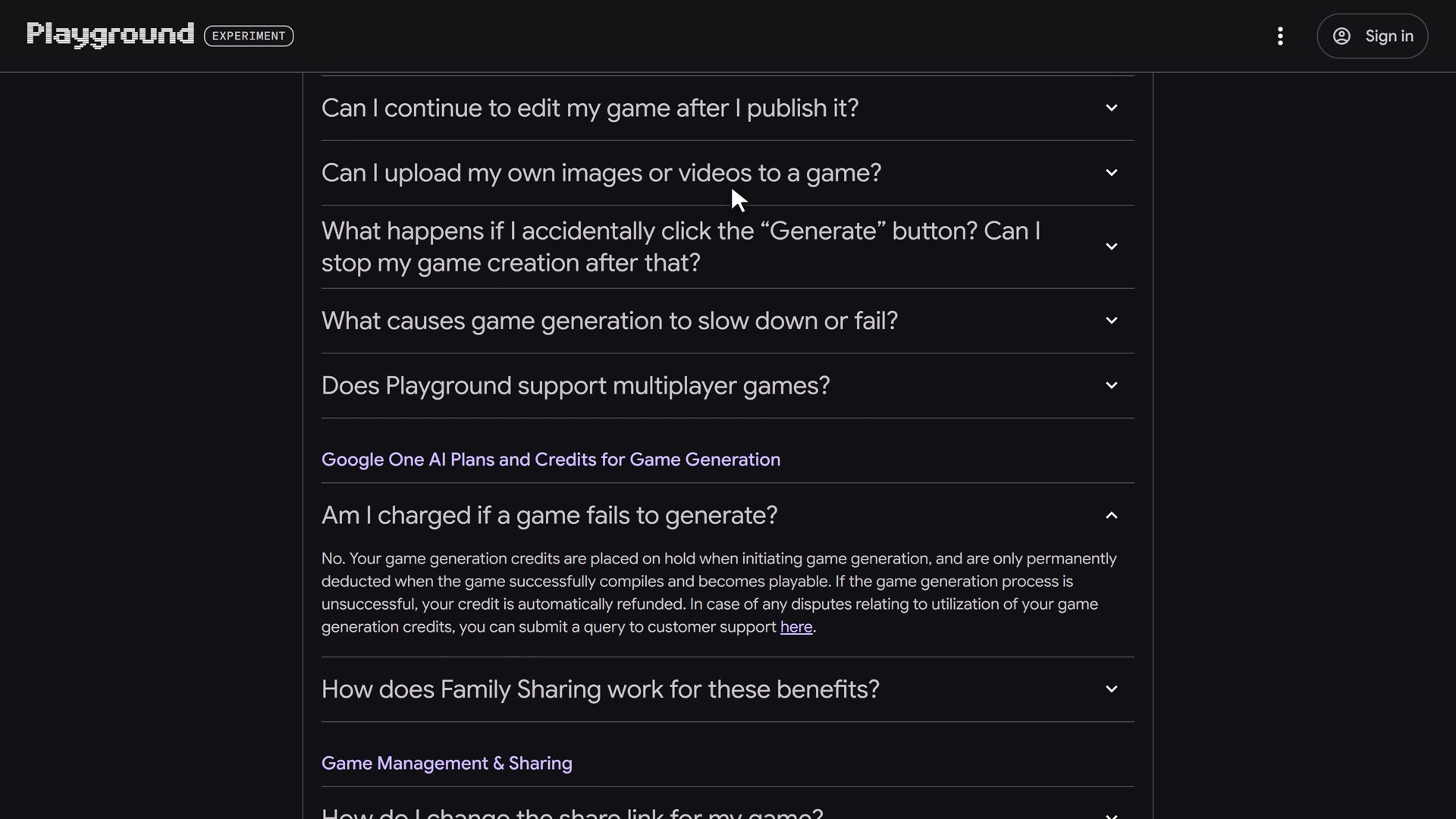
There is one fair rule about failures. Credits are placed on hold when a generation starts and are only permanently deducted after the game compiles and becomes playable. If a generation fails or times out, the credit is refunded automatically. Google One family sharing does not pool the credits between family members.
Pictures, but no video
You can upload your own images as a reference. The help center says that PNG and JPG files are accepted, and that the uploaded image is transformed by the AI into a stylised asset: the original is not embedded directly. Video is not supported. This is how Google’s own launch video put a cat into a game: a user uploads a photo of the cat as a reference and gets a yarn-ball demolition derby with the cat as the star.
Small changes beat giant requests
One piece of advice from the help center is the best prompting tip in the whole product: ask for small, focused changes rather than combining many requests in one message. Every person who has built something with a chat model knows this, but it is good to see Google write it down. It also explains the experiment at the end of this article, where I did the opposite on purpose to see what would happen.
Publishing, Rules, Multiplayer and Export
A game has four visibility states: draft, private, unlisted and listed. A draft is in development and only visible to you. Private means only the creator can play it. Unlisted means anyone with the link can play it but it is not searchable in the gallery. Listed means it is discoverable by others. Edits stay private until you publish again, and the version that is already published stays playable in the meantime.
Every published game is screened against the community guidelines before it becomes discoverable, and players can report games. A few rules are worth knowing before you make something:
- Games cannot link out to other websites.
- Gambling is banned, including simulated gambling.
- Titles or descriptions that imitate existing games, apps or studios are banned.
- Google may show ads in games only after asking permission, and no ads or revenue share have been announced.
- Google calls Playground an early experiment that may change or close.
- Accounts that are inactive for two years may have their content deleted.
Leaderboards
Games can have in-game leaderboards tied to a Play Games profile, where you claim a handle, save favourites and follow creators. Global leaderboards are available only for publicly listed single-player games with leaderboard visibility turned on. There are also group leaderboards, which are private, invite-only and limited to 100 members.
Multiplayer is early
Some genres support multiplayer, turn-based and real-time, and you select the multiplayer chip before generating. Google labels it an early preview, and multiplayer games do not have global leaderboards.
The Export button
This is the feature that surprised me most. Open a game that you created from “Your games”, click the pencil icon to open it in the creation studio, and in the header bar there is an Export (Download Zip) button. It downloads an archive with the game’s HTML, JavaScript, CSS and generated assets. In other words, a Playground game is plain web code, and you can take it away. I have not been able to open one, but this single sentence in the help center tells you what kind of product this is: not a closed engine, but a generator of ordinary web games.
My Problem: Not Available in Your Region
I am in Italy. I clicked on a game, and this is what I got.
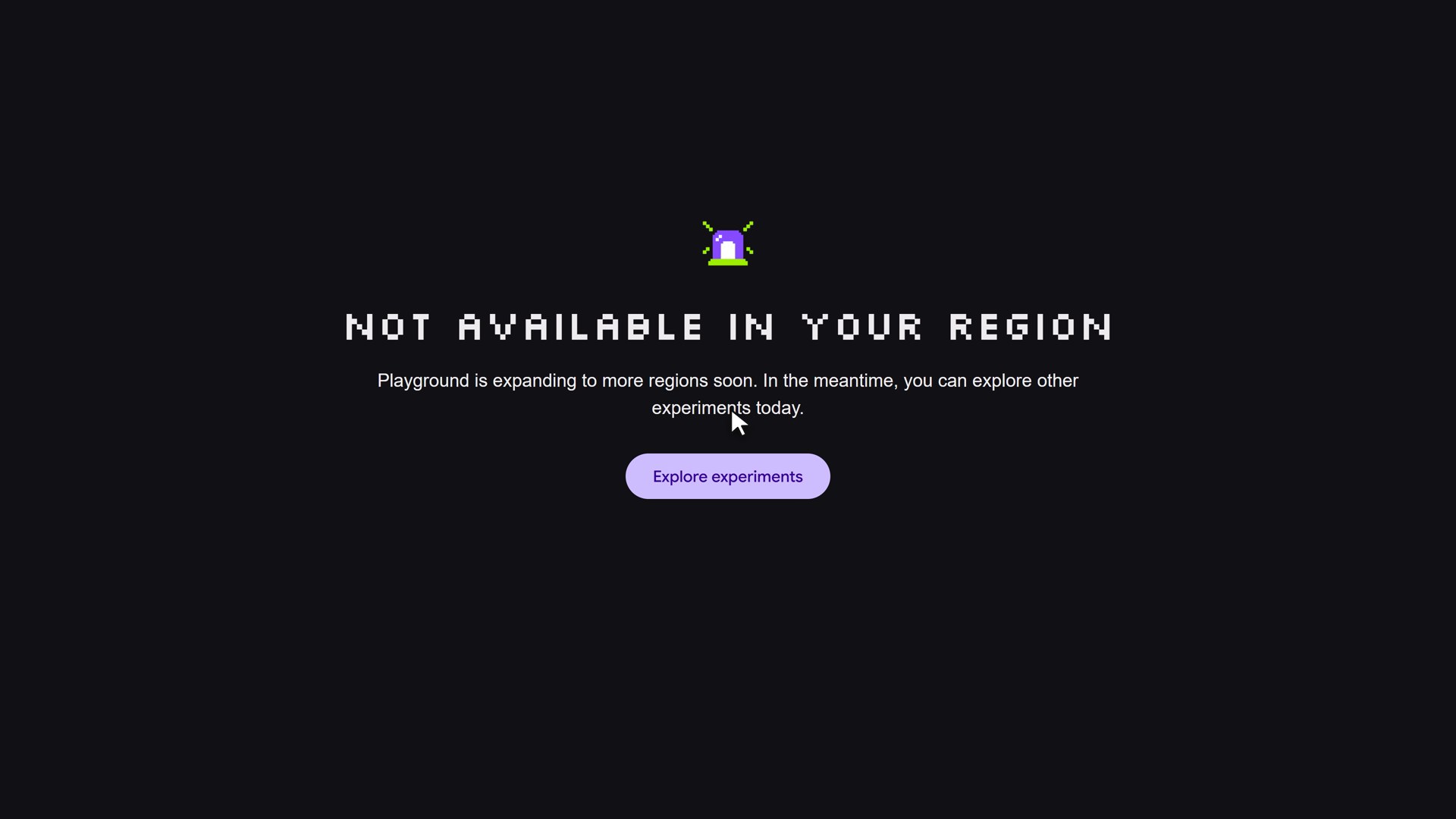
The launch post is clear that Playground is for users in the United States who are 18 and over, and it does not hide this. Many commenters in the launch thread reported errors or 403 responses from the UK, Italy, Germany, Spain, Sweden and Taiwan, and one pointed out that it looks like a generic edge server refusing by country rather than the application itself. Someone said it worked in India, so the wall is not simply “everyone outside the US”.
So I cannot film Playground from the inside, and I will not fake it. A screen recording of a similar tool dressed up as Playground would be a lie, and I would rather show you exactly what I can see. Everything above comes from Google’s own pages. Everything below comes from people who did get in.
What the People Who Got In Are Saying
Hacker News: mixed, and loud
The launch thread on Hacker News had 162 points and 231 comments when I read it. The tone is split.
On the negative side, one commenter said the demos remind them of “average Flash games with a different coat of paint”, and argued that when a whole game idea can be expressed in two sentences, the result is going to get old fast. Another reported that frame rates were strange and choppy even in a match-three game, and that the games they tried were quite bad overall. A third complained about rather low prompt compliance, and about the tool not liking to move from multiplayer to solo play. One reviewer rated a real-time strategy game 0 out of 10 and an infinite runner 2 out of 10 because the contrast made the obstacles hard to see. Someone else said the site itself was heavy enough to make a powerful laptop struggle.
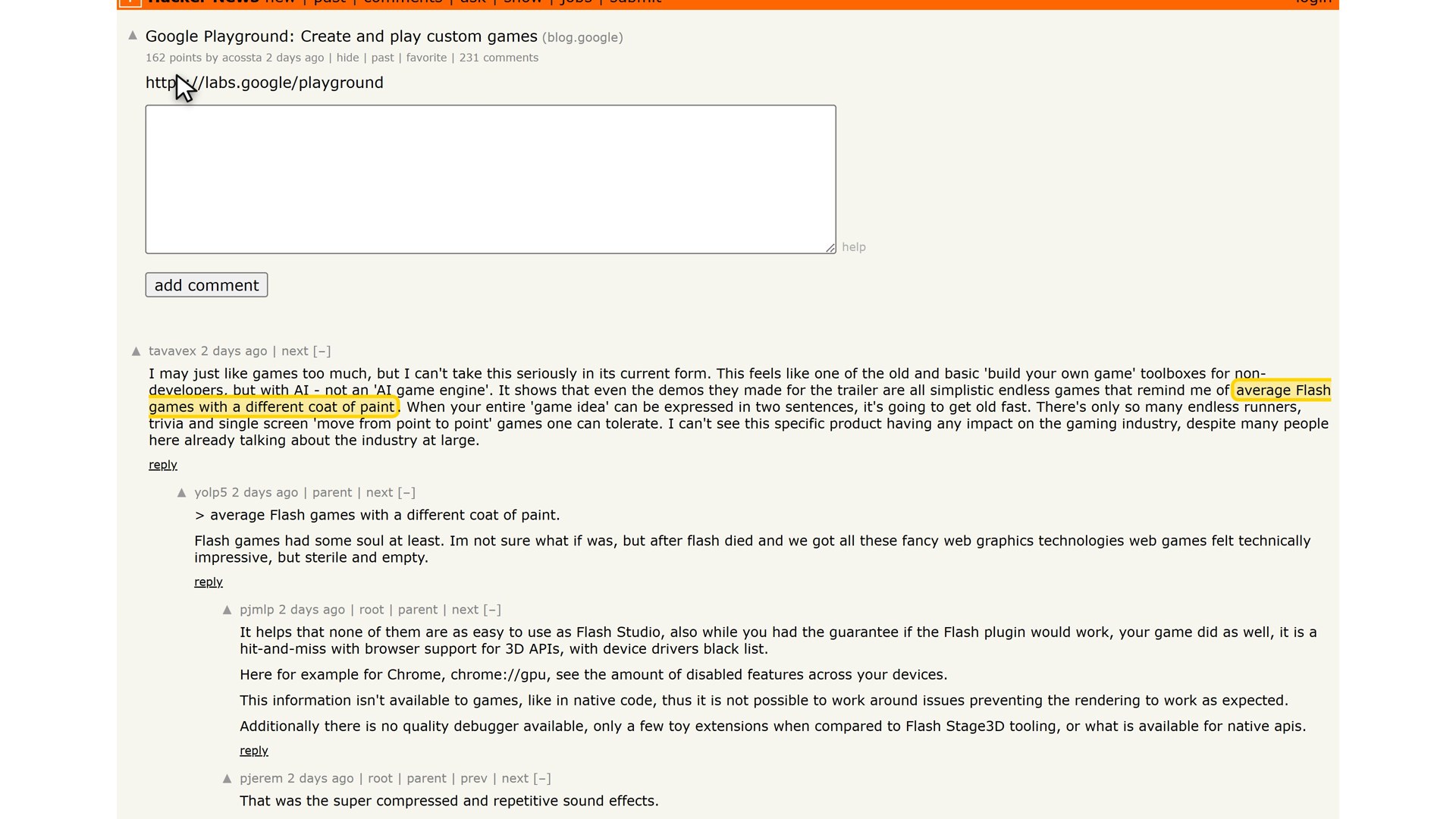
On the positive side, one commenter had just reached number two in the world on a match-three game called Steampunk Match and wrote that it was very impressive what is possible in the browser, and better than the usual vibe-coded games they had seen. Another built a two-dimensional space exploration game and a sci-fi trivia game quickly and found the writing reasonable. Several commenters made a fair philosophical point in both directions: AI can make games, but it cannot decide what is fun.
36Kr: a snake game and a roguelike
The most detailed hands-on I found is a Chinese article translated on 36Kr. The author had creation access through a Google One AI plan. They first tried a simple prompt, a building-themed Snake game in the Brutalist art style, and got a game they described as barely fitting the Brutalist style, with the familiar rule of eating beans to grow longer, plus random obstacles and power-ups. For a first attempt they called it not bad.
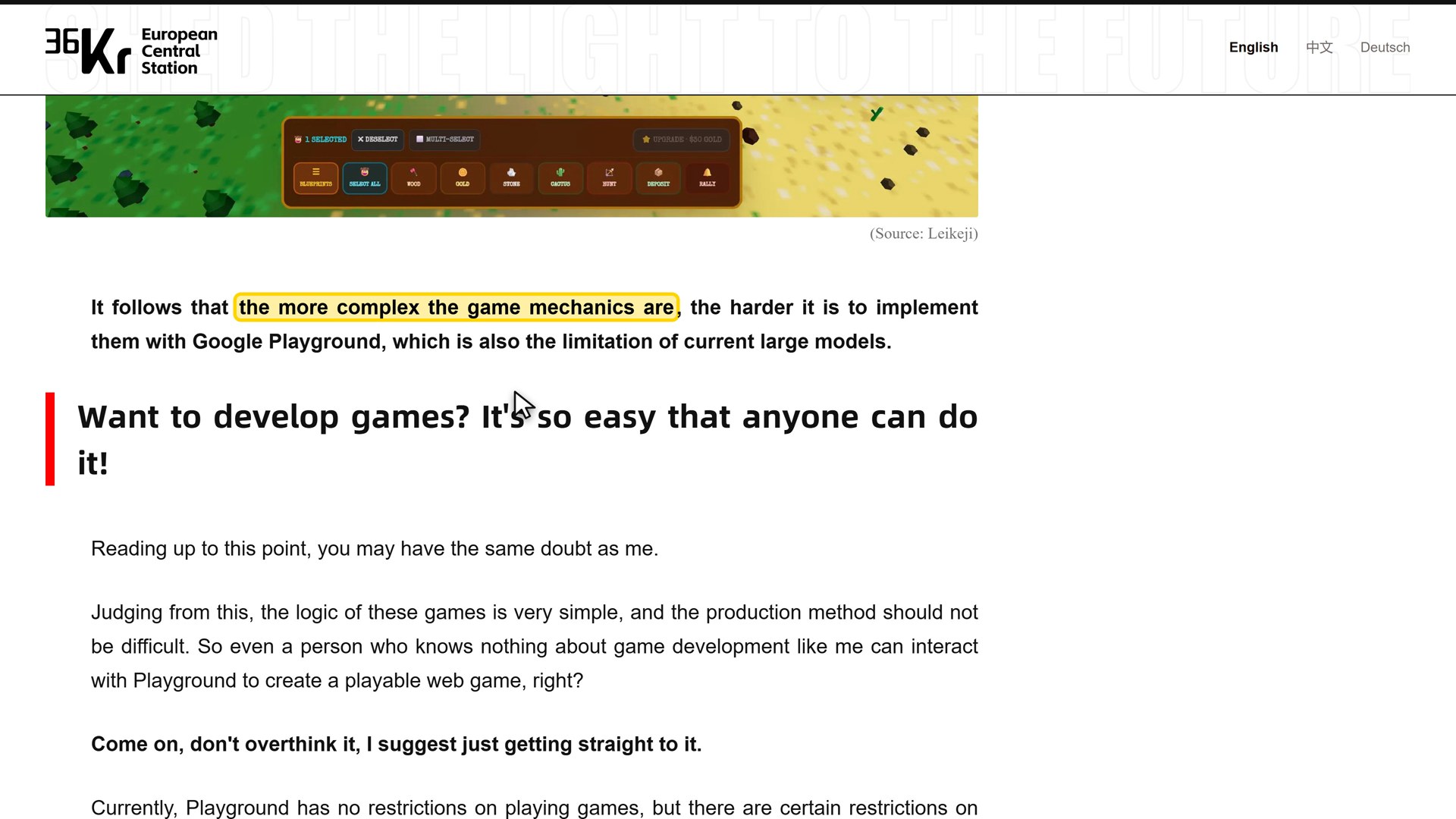
Then they tried something harder: a roguelike action game. It took five versions and about two hours. The first one had floating enemies with no attack animation. The second had animations, but the enemies still had no logic. The final version had a transforming axe with a perfect parry and a rotating holy whip, and the author called the result decent. Their conclusion is the one sentence I would pull out of the whole article: the more complex the game mechanics are, the harder it is to implement them with Google Playground.
The same article tried three of the popular games in the gallery. Coastal Cruiser was a fully playable prototype, with floaty steering and a monotonous straight road. A top-down tactical shooter had a useless compass and tiny characters, and the author wrote that playing it for more than five minutes was a kind of torture. A management game had clunky controls, and after half of its ten-minute limit the author still had not managed to build a second building. One more flaw: the thumbnails that Nano Banana generates for the games are far more stunning than the actual game screens.
Other hands-on reports
A TweakTown writer made a quick Diablo-style game from two lines of text, adjusted its parameters by talking to the prompt, and concluded that the result was not great but still surprising for what it is, noting that usage limits apply and that results may be rough. GameSpot, in a piece with the title “Google Playground Wants Everyone To Make AI Games, And Maybe Everyone Shouldn’t”, singled out Steampunk Match, a match-three puzzle where combos stop a boiler from exploding, as the most promising experience it tried. Gizmodo’s coverage said the featured games are mostly simple, Roblox-style mini-games: matching games, tower defence, puzzles and basic dungeon crawlers.
One creator on X
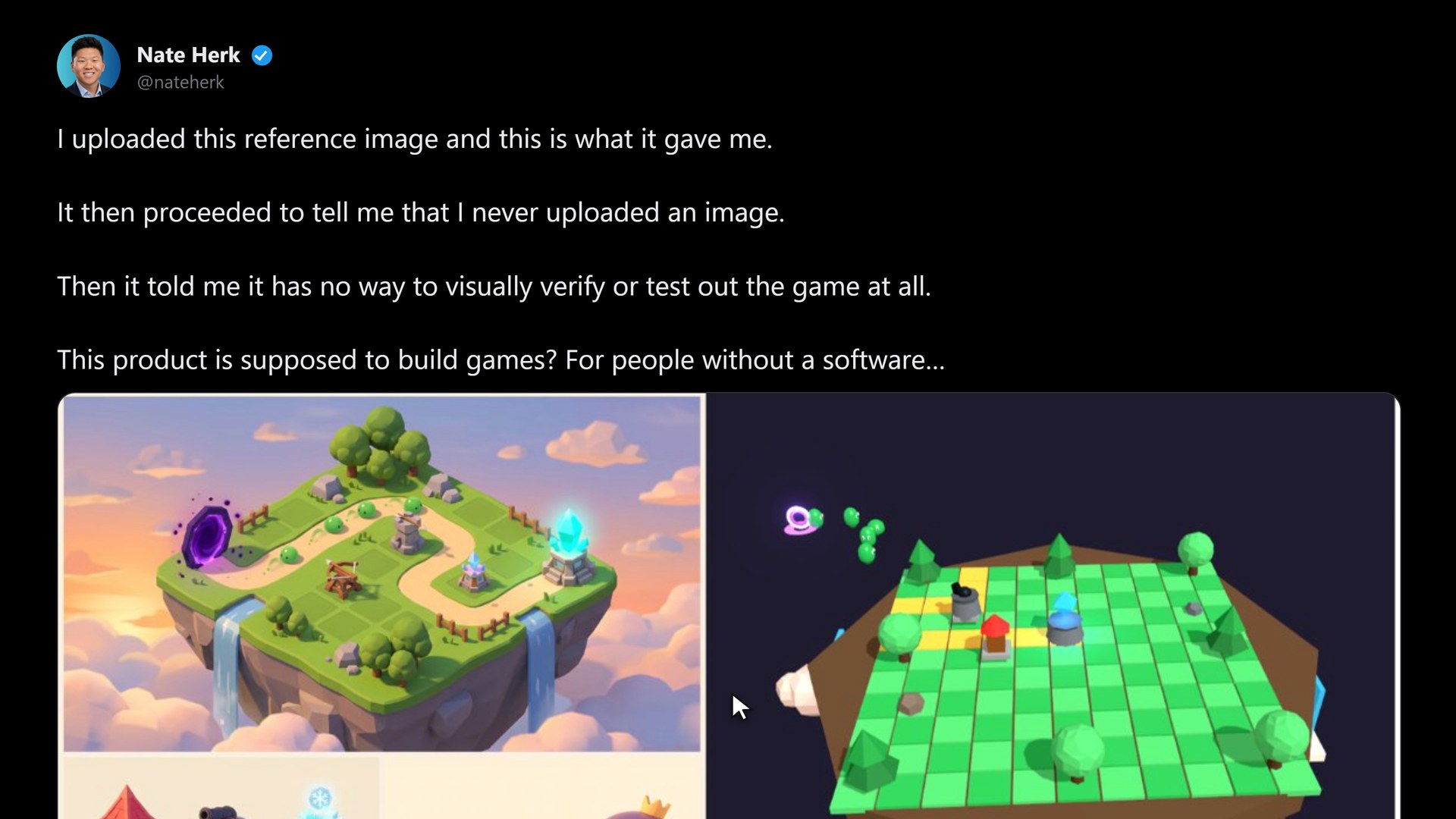
The most revealing single post is from Nate Herk. He uploaded a reference image, an isometric tower-defence island with towers and slimes, and Playground gave him a game that looks only loosely related. He then wrote that it told him he never uploaded an image, and that it had no way to visually verify or test the game at all, and finished with the question “This product is supposed to build games? For people without a software…” The post is early, it is one person, and the product is an experiment. But it shows the limits clearly: the model builds code blind, without playing what it makes.
Unity Spark: The Serious Version Is Coming
Unity announced Unity Spark at the same time as Playground. It is an AI game maker with a real editor, and it connects directly to the Unity Asset Store, so you can build with thousands of artist-made assets from the community. Creators start with prompts and assets, then refine the project in a new web-based editor, and publish without writing code. Unity says the games will be distributable through Google’s Playground later this year.
Google describes what Spark will add as professional-level mechanics, high-fidelity three-dimensional graphics and the flexibility of the Unity runtime. Spark is heading into a closed beta, with a waitlist now available, and the games built with it will be available to all Playground users. Unity’s CEO, Matt Bromberg, wrote on Unity’s blog that this is not about “one-shotting”: asking an AI to copy an existing game does not make someone a great game creator.
That sentence is, I think, the honest summary of this whole category. A model can give you a playable first version in a minute. Turning it into a game that someone wants to play five minutes later is the work, and so far the work is still yours.
What I Did Instead: Google’s Own Prompt, in Three Messages
If I cannot use Playground, can I at least show what the workflow feels like? Not with the tool, but with the same kind of conversation. Playground runs on Gemini, so I used Gemini through the API, and I want to be completely clear about this: **this is not Playground.** It does not have Google’s harness, its game-specific evaluations or its Nano Banana art, and I make no claim that Playground would give the same result.
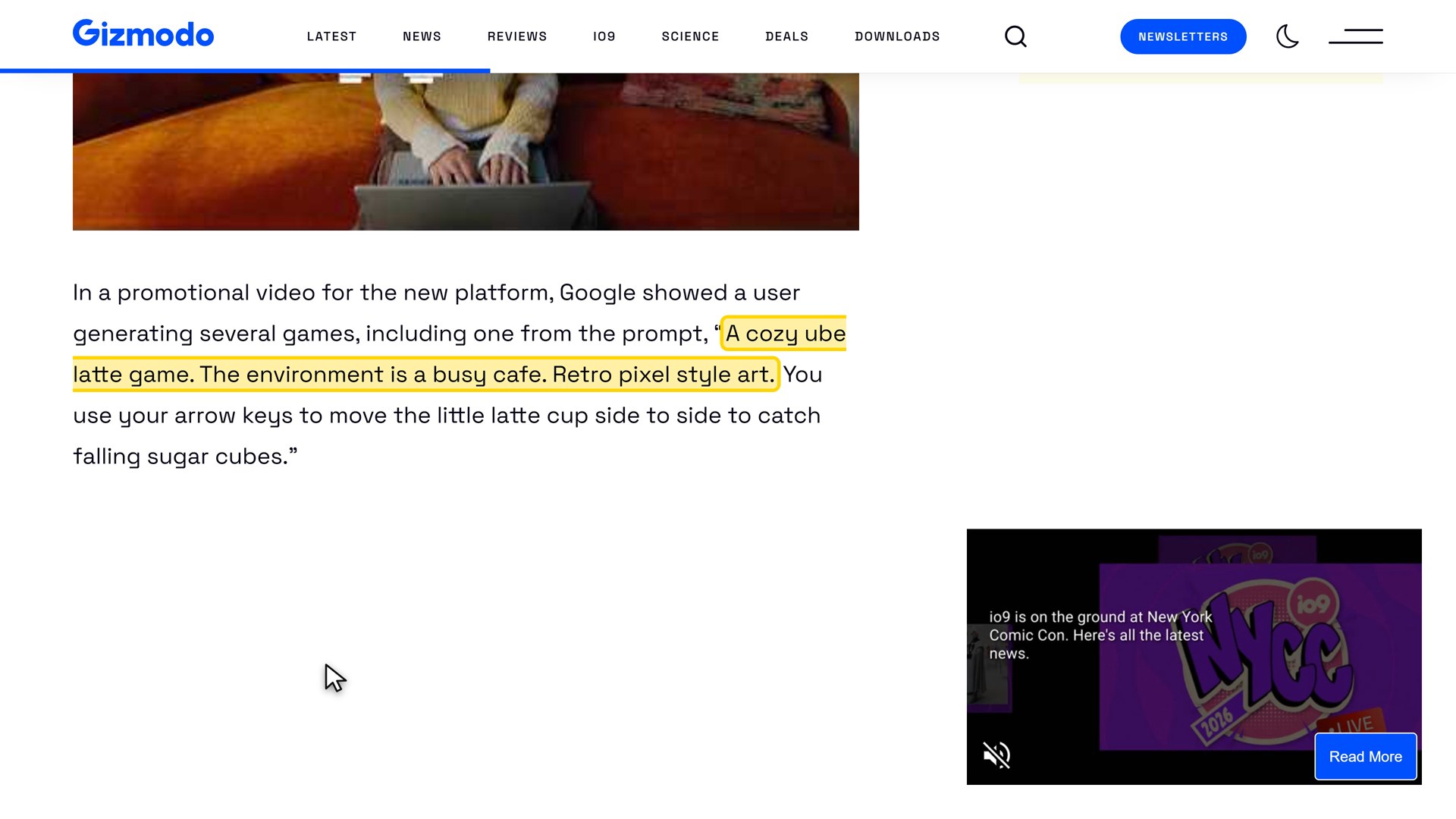
Google’s launch video used this prompt, as quoted by Gizmodo: “A cozy ube latte game. The environment is a busy cafe. Retro pixel style art.” In the video the game is about catching falling ice cubes.
The setup
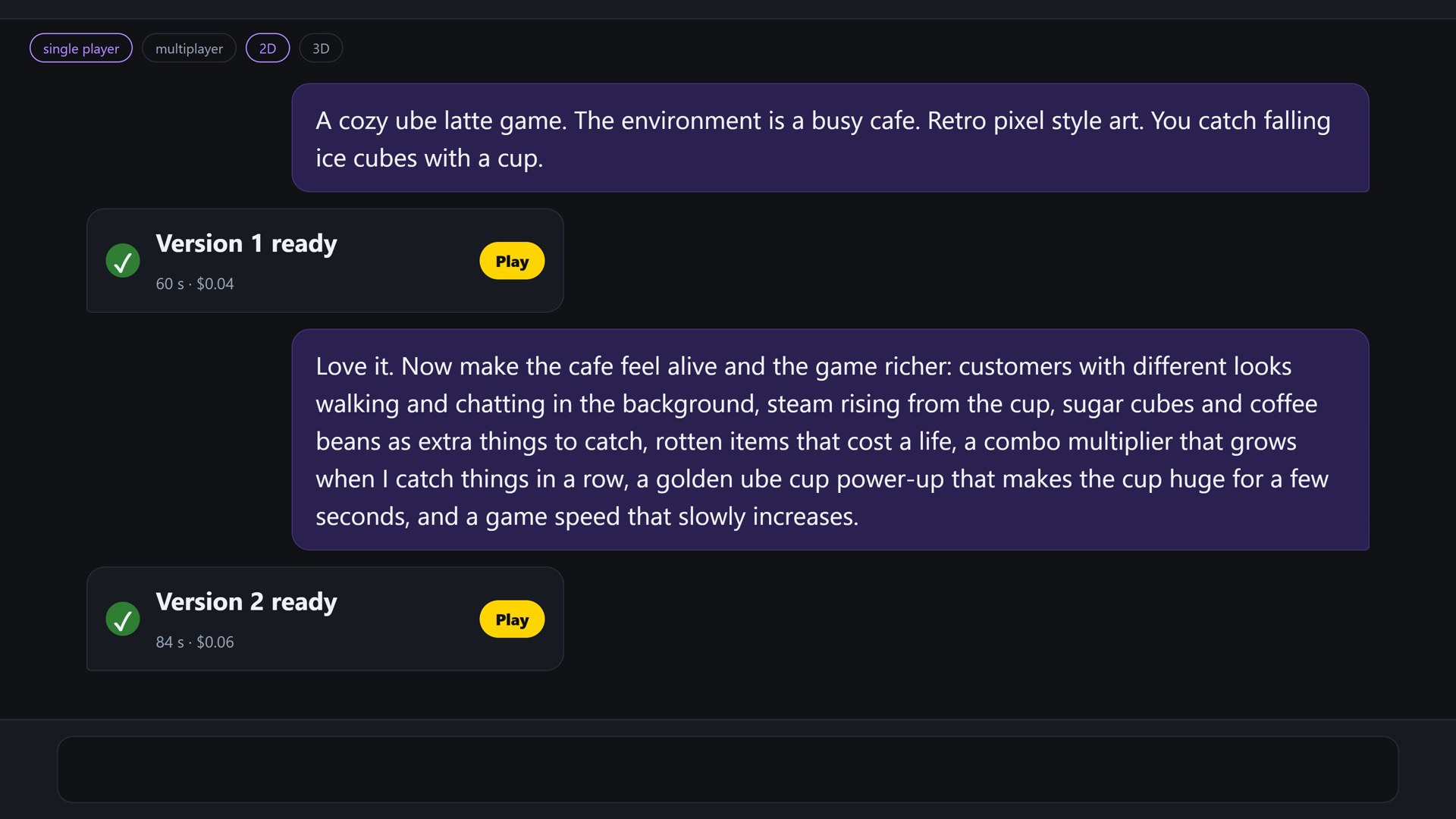
I used `google/gemini-3.8-flash` through OpenRouter, with the reasoning effort on low. One chat, three messages, and after every message the model returns the complete new game as one self-contained HTML file. I added a short system message, because a bare chat model does not know it is a game maker: it asks for one HTML file, a single canvas with the art drawn in code as pixel art, all sound made with the WebAudio API, keyboard and touch controls, and a small `window.game` object so I can test the game automatically. That is all. Nothing was edited by hand.
Message one: the idea
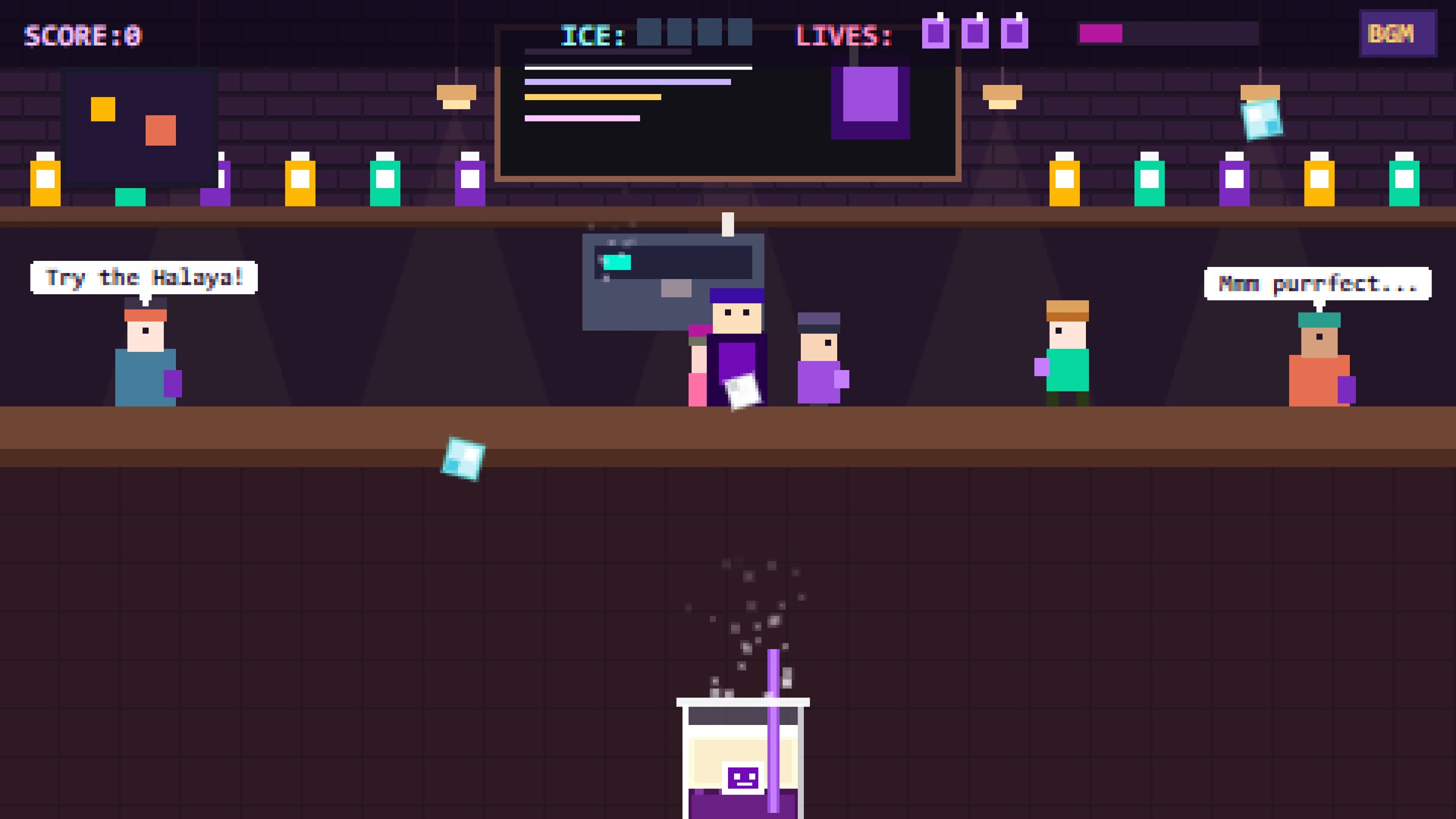
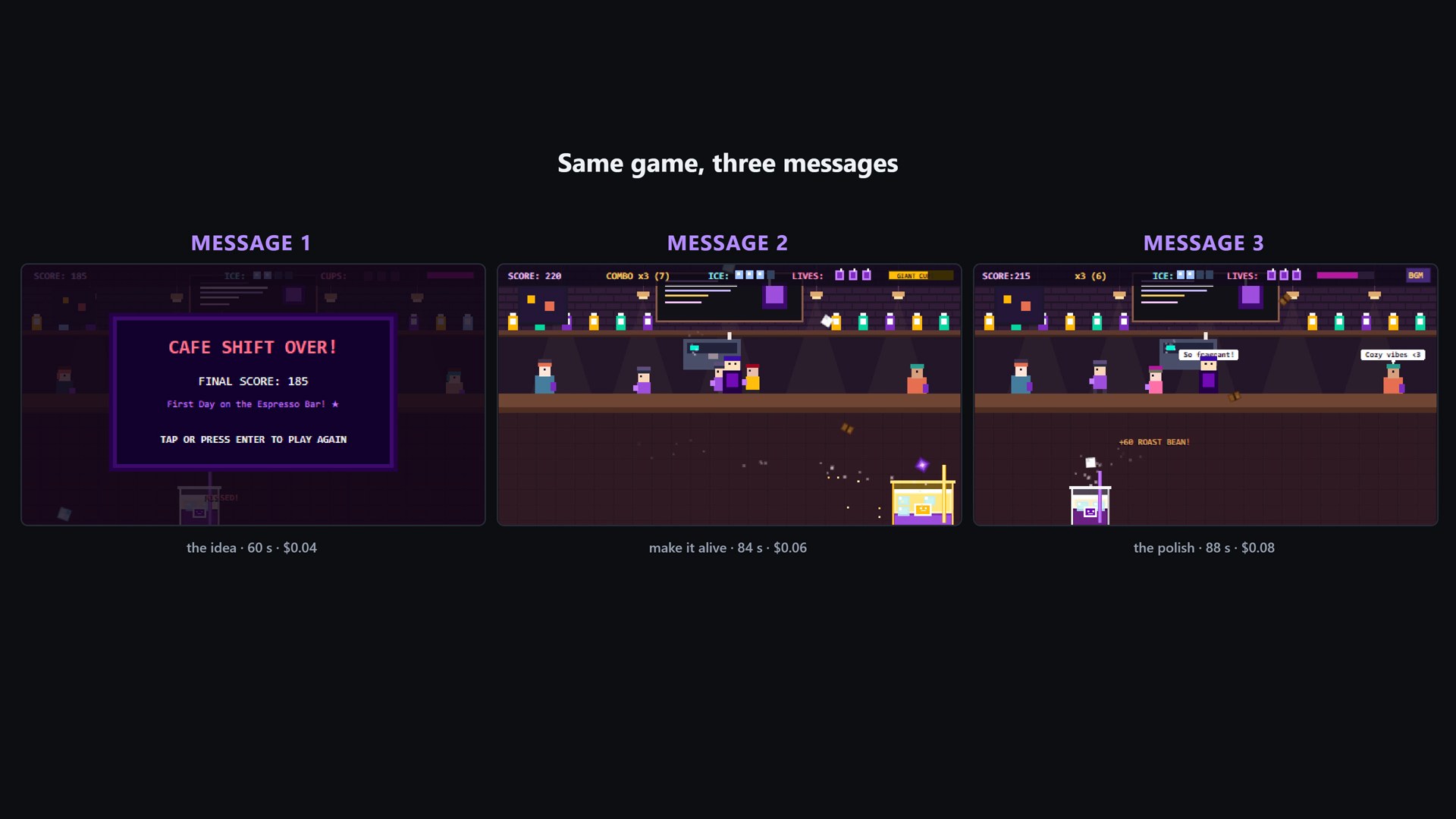
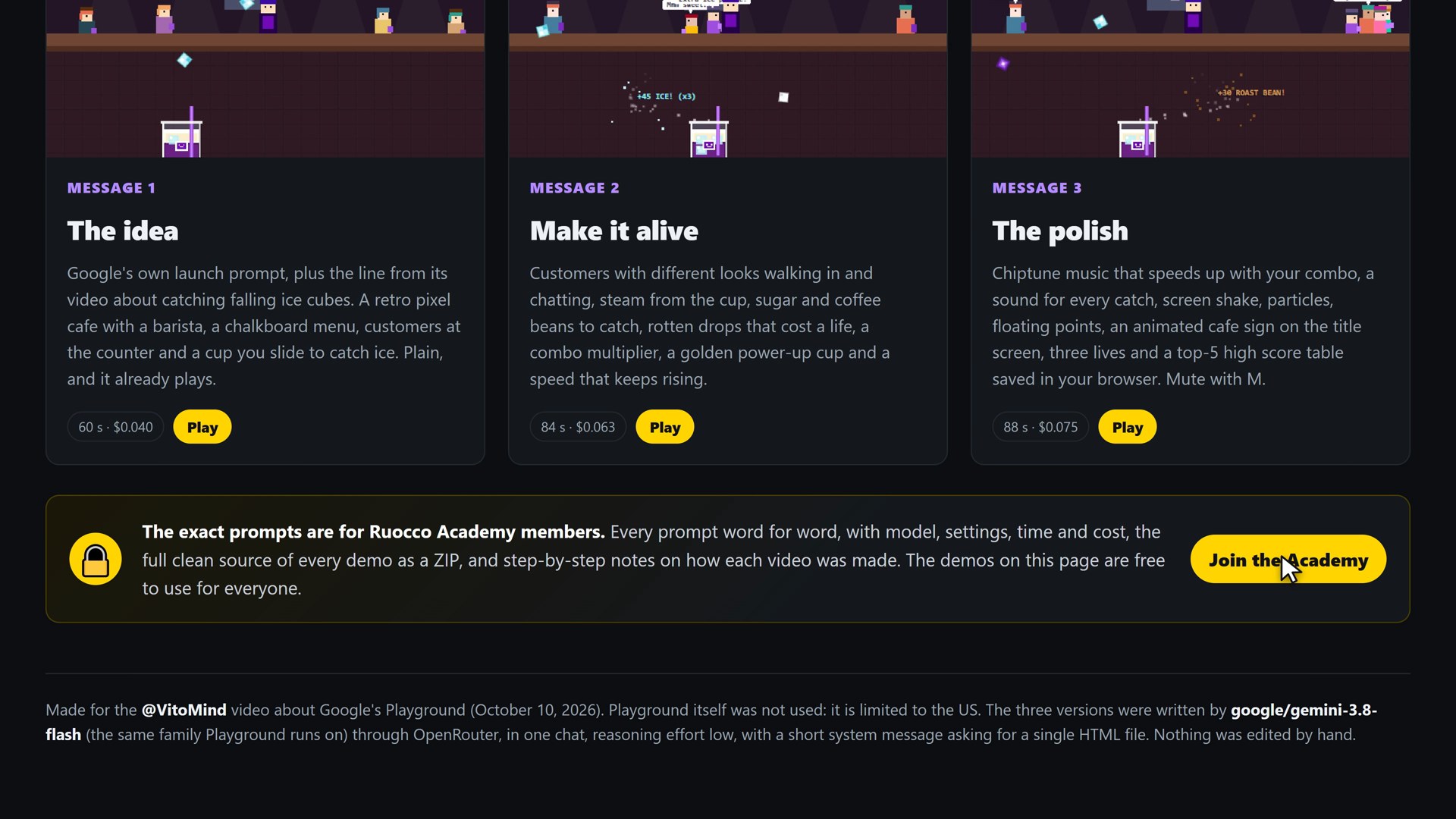
I sent Google’s prompt, plus the line from the video about catching falling ice cubes with a cup. Sixty seconds and four cents later I had a retro pixel cafe with a barista, a chalkboard menu, customers at the counter and a cup at the bottom of the screen that slides left and right to catch ice. It is simple, and it works: no page errors and a steady 60 frames per second.
Message two: make it alive
Now I did what Playground is built for: I just asked for more. In one message I asked for customers with different looks walking and chatting in the background, steam rising from the cup, sugar cubes and coffee beans as extra things to catch, rotten items that cost a life, a combo multiplier that grows when you catch things in a row, a golden ube cup power-up that makes the cup huge for a few seconds, and a speed that slowly increases. Yes, that is a giant request, exactly what Google’s help center says not to do. It took 84 seconds and six cents, and it worked: speech bubbles over the customers, a combo counter, a lives bar, floating score text.
Message three: the polish
The last message asked for chiptune music that gets faster with the combo, a sound for every catch, screen shake on a miss, pixel particles when you catch something, floating points text, a title screen with an animated cafe sign, three lives, a game over screen with the final score and a top-five high score table saved in the browser, and a mute option. Eighty-eight seconds, seven and a half cents. The result is a real little arcade game with a title sign, music and a saved high score table.
How I tested it
I did not play the game myself in the video. A small script plays it with keyboard events only, the way a person would: it reads the list of falling items that the game exposes, steers the cup toward the good ones, avoids the rotten ones, and misses a few on purpose so that lives are lost. The published game files are untouched. Before recording I checked all three versions for page errors and for frame rate, and all three ran at 60 frames per second with no errors.
What it cost
- Version one: 60 seconds, about four cents.
- Version two: 84 seconds, about six cents.
- Version three: 88 seconds, about seven and a half cents.
- In total: under four minutes of generation and 18 cents.
What this does and does not show
It shows that the loop at the heart of Playground, idea, play, change, play again, takes minutes and costs almost nothing when the model is a current Gemini. It shows that a chat model can hold a whole game in its head and change it without breaking it, at least at this size. And it shows that the output is plain web code, which is exactly what Google says its Export button gives you.
It does not show how Playground behaves. The reports above, choppy frame rates, low prompt compliance, mechanics that go wrong, are about Playground’s harness, and a simple catch-the-falling-things game is the easiest genre there is. A roguelike or a tactical shooter would be a very different test, and that is the test that cost the 36Kr author two hours.
Try Every Version, and Get the Code
All three versions are on ruocco.it, and you can play them in your browser, phone included: slide the cup with the arrow keys or with your finger, catch the ice, the sugar and the beans, dodge the rotten drops and chain your catches for a combo.
- **Play all three versions:** https://ruocco.it/ai-demos/ube-latte-cafe/
- **Every demo I have tested live:** https://ruocco.it/ai-demos/
- **The exact prompts, the system message, the settings and the full source code:** the Ruocco Academy, https://ruocco.it/academy/ . Members get every prompt word for word with the model, the settings, the time and the cost, the clean source of each demo as a download, and the testing bot.
What I Make of It
Playground is a real product with a real constraint, and it is worth watching. It is not a toy that fakes everything: the help center describes credits, visibility states, leaderboards and an export button, which is the vocabulary of a platform and not of a demo. The fact that the output is exportable web code makes it more interesting than it first sounds, because it means a Playground game is not trapped in Google’s engine.
It is also an early experiment and the first reports are honest about it: the simple things work, the complex things get hard, the frame rate can be bad, and the model builds without being able to play or look at what it made. That last point is the most important one to watch. The day Playground can play its own games and fix them is the day this stops being a generator of Flash-style mini-games and starts being a way to make games.
Until it opens outside the United States, the best you can do is read the public pages, watch the people who got in, and run the same kind of conversation with a model of your own. That is what I did, and the result is yours to play.
Sources
- Google, “Introducing Playground: Create and play custom games” (blog.google, October 7, 2026): https://blog.google/innovation-and-ai/technology/ai/playground-experimental-gaming-platform/
- Google Labs, Playground: https://labs.google/playground
- Playground help center: https://playground.google/helpcenter
- Google Labs, “Introducing Playground: If you can think it, you can play it” (YouTube): https://www.youtube.com/watch?v=Dxvrvfyicp0
- 9to5Google, “Google Labs announces Playground for prompt-based game creation”: https://9to5google.com/2026/10/07/google-labs-playground/
- Gizmodo, “Google’s New Playground Aims to Make It Easy to Vibe Code a Game Right in Your Browser”: https://gizmodo.com/googles-new-playground-aims-to-make-it-easy-to-vibe-code-a-game-right-in-your-browser-2000822955
- The Decoder, “Google bets Gemini can turn casual players into game developers”: https://the-decoder.com/google-bets-gemini-can-turn-casual-players-into-game-developers-with-new-playground-feature/
- Hacker News, “Google Playground: Create and play custom games”: https://news.ycombinator.com/item?id=49991823
- 36Kr, “Generate a game with a single sentence, hands-on test of Google Playground”: https://eu.36kr.com/en/p/4017254585603719
- GameSpot, “Google Playground Wants Everyone To Make AI Games, And Maybe Everyone Shouldn’t”: https://www.gamespot.com/articles/google-playground-wants-everyone-to-make-ai-games-and-maybe-everyone-shouldnt/
- TweakTown, “Anyone can create AI games with Google’s new Playground tool”: https://www.tweaktown.com/news/113985/anyone-can-create-ai-games-with-googles-new-playground-tool/index.html
- PocketGamer.biz, “Unity unveils Spark AI game maker with Google Playground integration”: https://www.pocketgamer.biz/unity-unveils-spark-ai-game-maker-with-google-playground-integration/
- Nate Herk on X: https://x.com/nateherk/status/2107947351998332991
- Progressive Robot, “Google Playground: Easy AI Game Maker With Surprising Limits”: https://www.progressiverobot.com/2026/10/07/google-playground-ai-game-creation-unity-spark/
A Note on What Is Confirmed
Everything about Playground in this article comes from Google’s own pages or from the named outlets and posts, and I could not verify any of it from the inside, because the product is not available in my region. I did not read the GameSpot and TweakTown pages myself, because their servers refused my requests, so what I say about them comes from the summaries of their coverage and should be checked against the originals. Google has not said which Gemini version Playground uses, and the three game versions in this article were written by Gemini 3.8 Flash through OpenRouter, not by Playground. The voice in the video is an AI clone of mine, and the video is marked as containing synthetic content.
If you want more AI tools tested hands-on, with the real demos on screen and the code to try yourself, subscribe to the VitoMind channel on YouTube: https://www.youtube.com/@VitoMind